How to open a real account in MetaTrader 5 Android
If you’ve ever tracked the markets on your phone and thought, “I could trade this trend right now,” you’re not alone. Mobile trading has transformed how people interact with financial markets. You no longer need to sit behind a desk with many monitors to place an order.
The metatrader platform has been widely used for years by retail traders because of its reliability and flexibility.
MetaTrader 5 (MT5) remains one of the most popular mobile trading applications available today. MT5 is a versatile platform built for traders who want to execute trades quickly and efficiently from anywhere.
This step-by-step guide will show you how to open a real account in MetaTrader 5 Android, as well as deposit funds into that account and ensure it remains secure throughout the entire process.
Whether you’re starting from scratch or moving from a demo account, this guide will walk you through the entire process, from setup to finance and security.
By the end of this guide, you’ll understand how to set up your metatrader 5 android real account safely and correctly.
Trade on the Go with MetaTrader 5 Android
The financial markets do not wait. Prices fluctuate during market hours, over the weekend (if you’re trading crypto), and occasionally at the most unexpected times.
With MT5 on Android, you can:
- Monitor real-time price charts.
- Open and close trades instantly
- Set stop loss and take profit.
- Analyze markets using built-in indicators.
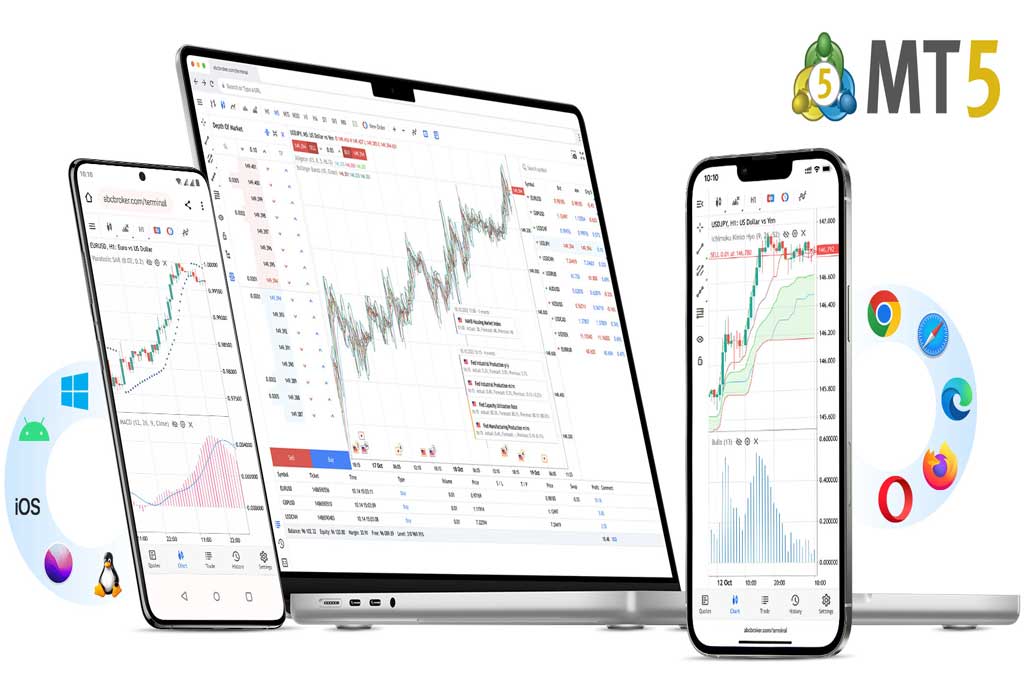
Many traders use a desktop for market analysis and their mobile device to execute orders. Others rely entirely on their mobile devices. The flexibility of MetaTrader 5 Android is why it is used by so many people around the world.
Real vs Demo Account in MT5
If you plan to trade, then first you should know the difference between demo and live trading.
A demo account allows you to trade with virtual funds. So if you are learning how to use a trading platform or trying out a new strategy without any risk associated, then a demo would be the place for you to start. All traders start by opening a demo account in MT5 before they transition into a live account.
Some beginners start by opening a demo account in metatrader 4 before moving on to MT5, especially if they want to compare platforms.
In a real or live account, you trade with real money. Here, profits are real as well as the losses. The transition from demo to real trading often feels very different. When real money is involved, even small price movements can trigger emotional reactions. That’s why discipline and risk management become much more important at this stage.
When you feel that you have enough confidence in the tools you are using and have an understanding of the risks associated with them, then it is time to open a live trading account.
Requirements Before Opening a Real MT5 Account
Before jumping into the registration process, let’s make sure you’re prepared.
Choosing a Regulated Broker That Supports MT5 Android
To trade on MetaTrader 5, you’ll first need a broker that connects you to the financial markets.
Before opening an account to trade with MetaTrader 5, make sure the broker meets a few essential requirements:
- A valid license from a recognized authority
- Transparent fees and spreads
- Clear deposit and withdrawal policies
Some brokers, like Otet Markets, provide full support for using MT5. It’s always wise to verify your broker’s regulatory status independently, as this protects your funds and creates an environment where trading can take place fairly.
Stable Internet Connection
Mobile trading relies heavily on a stable and fast internet connection. An unstable connection can lead to:
- Order execution delays
- Failed trade confirmations
- Disconnections from the server
If you plan to actively trade, you must have access to a reliable 4G/5G connection or strong Wi-Fi.
Preparing Identity Verification Documents (KYC)
Once your account is created, the next important step is verification.
You will typically need:
- A valid passport or national ID
- A recent utility bill or bank statement (proof of address)
Note that the documents must be legible and not expired.
Understanding Trading Risks and Risk Management
Prior to opening a live account, ask yourself:
- Do I understand leverage?
- Do I understand how losses work?
- Am I prepared for losses?
Risk management is essential in live trading. Even experienced traders follow strict rules to protect their capital.
Many experienced traders risk only 1–2% of their capital per trade. This helps protect the account during losing streaks.
In addition to position sizing, it’s also important to have a clear trading plan before entering any trade. A trading plan outlines when you will enter the market, where you will exit, and how much you are willing to risk. Without a plan, decisions often become emotional, especially during volatile market conditions.
Another key habit is keeping a trading journal. Writing down why you entered a trade, how you felt at the time, and what the outcome was can help you identify patterns in your behavior. Over time, this self-review can significantly improve your discipline.
Remember that consistency matters more than quick profits. Many beginners focus on making money quickly, but experienced traders focus on protecting capital and staying in the market long enough to grow steadily.
How to Download and Install MetaTrader 5 on Android
Now let’s move to the technical part.
Downloading MT5 from the Google Play Store
Navigate to the Google Play Store and look for MetaTrader 5.
Make sure the publisher is MetaQuotes Software Corp and download or install the app.
Some traders search for metatrader 5 real account download, but it’s important to understand that the same app supports both demo and real accounts. The difference appears when you log in with your account credentials.
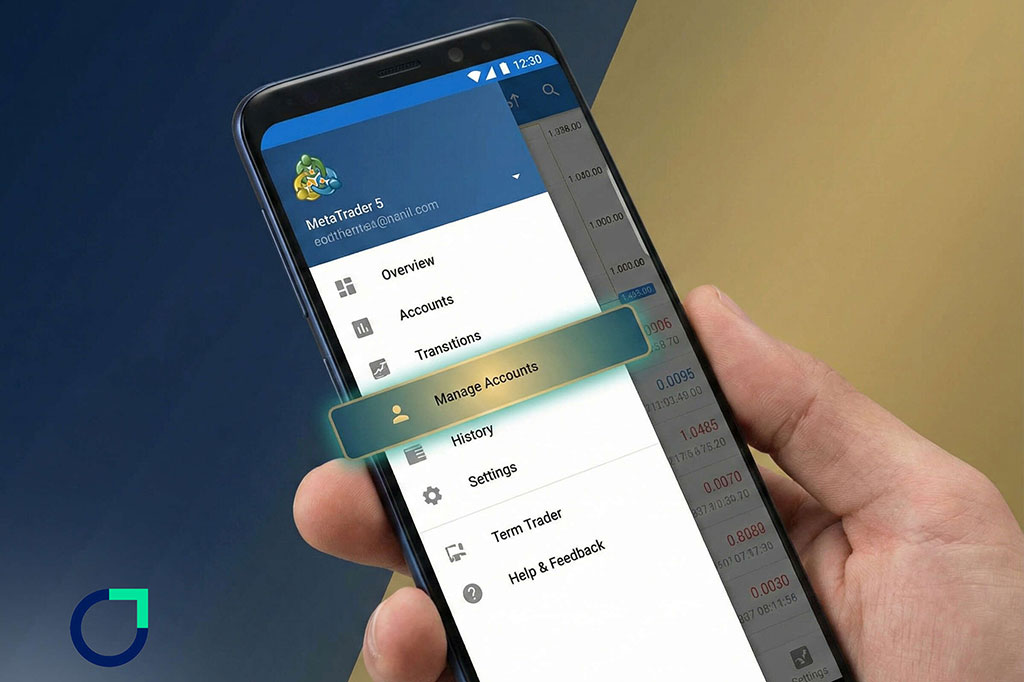
Navigating to “Manage Accounts”
Once you’ve installed the app:
- Open the app
- Tap the menu icon (top left)
- Select “Manage Accounts”
- Tap the “+” sign
This is where you either log into your existing account or begin the registration process.
Finding Your Broker and Starting Registration
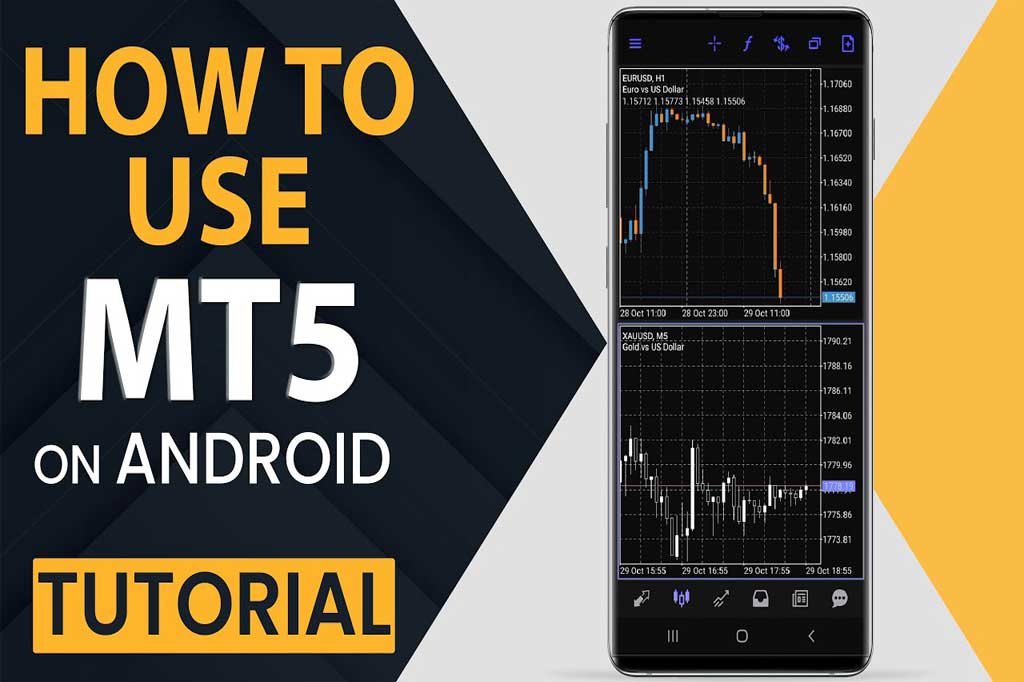
Inside “Manage Accounts,” select “Open a Real Account” to begin. Afterwards, type your broker’s name into the search bar.
Once you’ve selected your broker, you’ll be directed to their registration page to complete the metatrader 5 real account registration process.
Be sure to carefully read and follow the broker’s instructions.
Completing Personal Information and Account Settings
Step 1 – Entering Personal Details
You will need to provide:
- Full legal name
- Date of birth
- Country of residence
- Phone number
- Email address
Make sure all information matches your identification documents.
Step 2 – Choosing Account Type
Brokers often offer:
- Standard accounts
- ECN accounts
- Swap-free (Islamic) accounts.
Select the account type that fits your trading style.
Step 3 – Selecting Leverage
Leverage multiplies your buying power.
Higher leverage means:
- Higher potential profit
- Higher potential risk
If you are new, choose moderate leverage.
Step 4 – Setting Account Currency
Choose your base currency (USD, EUR, etc.).
This affects:
- How profits are calculated
- Conversion fees
Identity Verification (KYC) Process
This step ensures compliance with financial regulations.
Step 1 – Uploading Proof of Identity
Upload a clear photo or scan of:
- Passport
- National ID card
- Driver’s license (if accepted)
All of the details must be completely visible.
Step 2 – Uploading Proof of Address
Submit a document issued within the last 3 months:
- Utility bill
- Bank statement
- Official government letter
The address must match your registration details.
Step 3 – Waiting for Approval
Verification usually takes a few hours to 2 business days
You will be notified when verification has been successfully completed via e-mail.
How to Deposit Funds into Your MT5 Real Account
Once verified, you can fund your account.
Available Deposit Methods (Card, Bank, E-wallet, Crypto)
Most brokers offer:
- Credit/Debit cards
- Bank transfer
- Skrill or Neteller
- Cryptocurrency deposits
Choose a method that is secure and convenient.
Minimum Deposit Requirements
Minimum deposits vary. Some brokers require:
- $10–$100 for standard accounts
- Higher amounts for ECN accounts
Check carefully before funding.
Security Measures (2FA & Transaction Protection)
Always enable:
- Two-Factor Authentication (2FA)
- SMS or email confirmations
Security is crucial when dealing with real money.
How to Metatrader 5 real account on Android
After funding, it’s time to log in. Entering Login ID and Password
Your broker will provide:
- Login number
- Password
- Server name
To access your metatrader5 account, open the app, go to Manage Accounts, and enter the information you have received.
Selecting the Correct Server
Brokers use multiple servers, so it’s important to select the exact server name that was provided to you in your email to ensure that you do not experience login issues.
How to Secure Your MT5 Account on Mobile
Security is often overlooked.
Creating Strong Passwords
A strong password should include:
- An upper and lower case letter
- Numeric characters
- Special characters
Avoid obvious passwords like 123456 or your date of birth. If someone gains access to your account, they gain access to your funds.
Avoiding Phishing Attacks
Do not click on links in emails that seem odd, asking for login details from your broker.
Only log in through the broker’s official website or app.
Keeping the App Updated
Make sure you update apps regularly to patch bugs and security vulnerabilities.
Enable automatic updates in Google Play.
Troubleshooting Common MT5 Android Issues
Even well-designed apps sometimes face issues.
Login Errors and Incorrect Credentials
Double-check:
- Login ID
- Password
- Server
If needed, reset your password through the broker.
Server Connection Problems
If the app says “No connection”:
- Check your internet
- Restart the app
- Try switching between Wi-Fi and mobile data.
Order Execution Delays
Execution delays can happen due to:
- High market volatility
- Slow internet
- Broker server load
Use a stable internet and avoid trading during extreme news events.
What to Do If Registration Fails
If your application is rejected:
- Review document clarity
- Ensure details match exactly.
- Contact broker support
Sometimes minor mismatches cause rejection.
Conclusion
Opening a real MT5 account on Android is straightforward when you follow each step carefully and understand what you’re doing. Every detail matters when it comes to protecting your account and setting yourself up for success, from choosing a regulated broker to verifying your identity and securely logging in.
Prepare yourself before you begin. Know your risk tolerance, only invest what you can afford to lose, and remember that mobile trading can give you many opportunities for freedom, but you also have responsibility as a trader for your finances.
If you follow the procedures indicated in this guide, you’ll be well-prepared to begin trading confidently using your metatrader 5 android real account.
FAQ
You can start the process inside the app, but final approval and verification are handled by your broker.
Typically, between a few hours and two business days, depending on the broker.
Utility bills, bank statements, or official government letters issued within the last three months.
Opening the account is usually free. However, you must deposit funds to begin live trading.
Share
Hot topics

What is Balance in Forex? A Complete Guide for Traders
Introduction When you open a trading account for the first time, one of the first numbers you see on your screen is your balance. It looks simple. It looks clear....
Read more



Submit comment
Your email address will not be published. Required fields are marked *